Why set yourself up for video?
As AI becomes increasingly sophisticated, it’s more important than ever to offer producers and clients a unique, human touch they simply can’t get from AI.
To elevate your client experience, we recommend setting up for video feeds so clients can see you during directed sessions. Many clients may prefer using platforms like Zoom to see and hear you, creating a more engaging, in-the-moment interaction. Some may even wish to share visuals back with you in real-time, enhancing their creative input during the session.
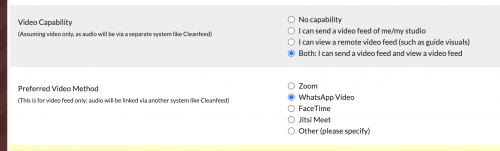
Other clients (including us) might want a split setup, using video platforms like Zoom or FaceTime for visuals while connecting via a high-quality audio link like Cleanfeed to capture the best possible sound.
How to set yourself up for video?
For a straightforward setup, you can use your existing phone or tablet and connect via FaceTime or WhatsApp video. This allows you to maintain high-quality audio through Cleanfeed without needing to adjust your routing. It’s helpful to keep a phone or tablet cradle in your booth so you don’t have to hold the device during sessions!
However, we recommend investing in a dedicated monitor and computer with a webcam (ideally, one with a built-in mic for clients who don’t require a high-quality audio link). This setup can stay in your recording space, ready to go, and lets you view anything the client (or us) shares with you - such as guide videos - directly on the monitor.
How we would connect with you
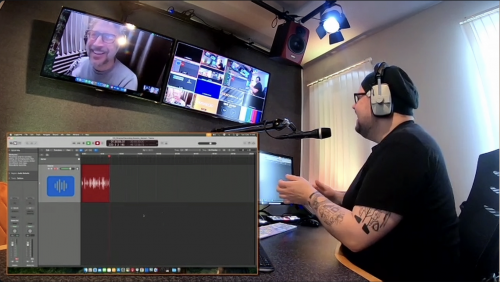
For directed sessions, we’ll connect with you through Cleanfeed as usual for audio, and we’ll establish a video link that displays on our studio monitor. This allows clients to see both you and our engineer during the session.
You’ll also receive a video feed from our studio, giving you a clear view of the engineer and the recording process. If needed, we can send visuals your way, such as guide videos for any voice-to-picture reads.