Week starting 17th August: Good availability with most voices this week Studios reopen 9am Thursday 20th August Need help choosing a voice? Send us your brief
Get a quote

Blocking demos for download

Updated

Why block your demos for download?

Where possible we recommend allowing your demos to be downloaded. Producers like to download and share demos to their customers in their own way.

We also recommend you add music or effects to your reels, so as to limit or remove the amount of dry vocals - this makes it harder for your clips to be used for unauthorised voice cloning.

However, we understand you may wish to block downloading a demo - perhaps it contains dry vocals and you've not had chance to update it yet.

The functionality described below will grey-out or remove the download button on a per demo basis.
How to block your demos for download

Now follows instructions on how to block/unblock your demos for download.
Please note, all new demos will be added as downloadable by default.

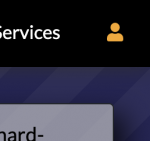
Visit your profile page on Voiceovers.co.uk whilst signed in. To check you are signed in, ensure the person icon in the top right is orange.
Visit your profile page on Voiceovers.co.uk whilst signed in. To check you are signed in, ensure the person icon in the top right is orange. If not, click the icon and it will open a sign in box.
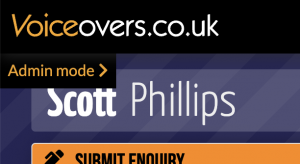
Then, click to enter Admin mode (top left)
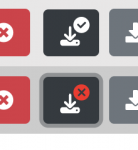
Under your Example Audio section you'll see your demos listed as normal. The icon immediately to the right of the delete button is the toggle download icon.
It will show a tick when the demo is allowed to be downloaded, or a cross if the demo is blocked for download. Clicking will toggle between the two states.
It will show a tick when the demo is allowed to be downloaded, or a cross if the demo is blocked for download. Clicking will toggle between the two states. The changes will be logged when you click the button (you do not need to click Save Changes).