Week starting 17th August: Good availability with most voices this week Studios reopen 9am Thursday 20th August Need help choosing a voice? Send us your brief
Get a quote

Updating your booking preferences

Updated

Accessing your preferences screen

Your booking preferences section is where you can specify various preferences which will affect both how your profile page is displayed, and if you are displayed in the search results when a producer filters the results.
There are two ways you can access your booking preferences screen.
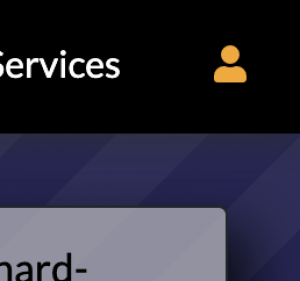
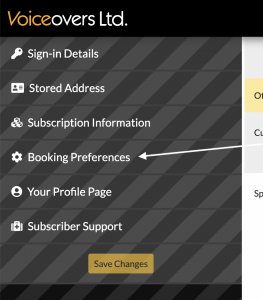
There are two ways you can access your booking preferences screen. One is from your profile page (after clicking Admin mode and selecting it from the left menu). Although perhaps the easiest method is to visit any page on Voiceovers.co.uk and click on the person icon in the top right. If you are already signed in, it will show as Orange and take you to your Accounts page. If it's not Orange then clicking it should prompt you to sign in, and then you can click it again to get to your Accounts page.
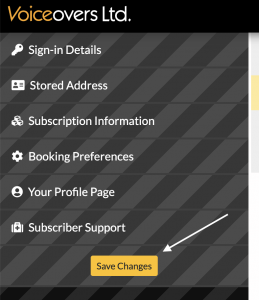
Once you've signed in and accessed your Accounts page, you should see a menu similar to the one on the left. Click on the Booking Preferences section.
If you make any changes you must remember to click the Save Changes button, which will store your changes and reload the page.

Please check these preferences

If you have time, please review all of your booking preferences and make and store changes as necessary.

However, now follow some preferences we particularly would like you to check...

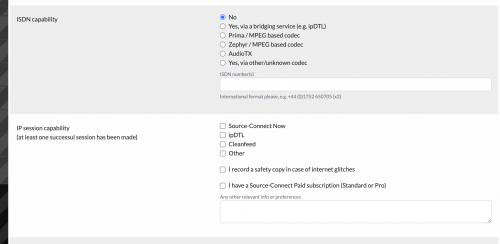
The ISDN capability section has been removed.
The ISDN capability section has been removed. Please ensure you have at least one IP capability selected if you want to show as available for IP directed sessions when producers filter based on this. There's also a new option for those voices who have Source-Connect (the paid version). This is NOT the same as Source-Connect Now (the free browser version).
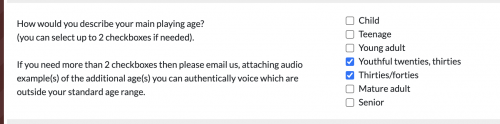
We are soon to be introducing filtering based on playing age. So please do ensure this section is correct.
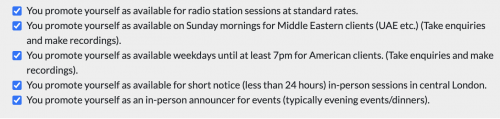
If you perform UK local radio station scripts for the typical standard rates then ensure the top checkbox under 'Special markets you are targeting' is ticked.
If you perform UK local radio station scripts for the typical standard rates then ensure the top checkbox under 'Special markets you are targeting' is ticked. These tend to have low scripts rates (typically starting under £50), so not all voices make themselves available for this.

Notes

Please note, some of your changes to booking preferences may take a couple of hours to propagate - as some of our pages and sections are cached for performance reasons.

If you have any questions or problems, please don't hesitate to email us.