Week starting 17th August: Good availability with most voices this week Studios reopen 9am Thursday 20th August Need help choosing a voice? Send us your brief
Get a quote

How To Upload Demo Audio

Updated
Guide to adding and updating your demo audio

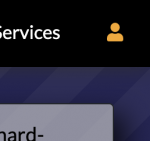
Visit your profile page and see if the icon on the top right is white or orange. Orange signifies you are signed in already.
Visit your profile page and see if the icon on the top right is white or orange. Orange signifies you are signed in already. If the icon is White then click the icon and it should prompt you to sign in.
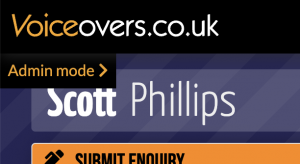
Once signed in and on your profile page, click "Admin mode".
Under the 'Example Audio' section you can see your demo audio.
Under the 'Example Audio' section you can see your demo audio. If you want to upload a demo which is a replacement of one that already exists, click 'Replace'. If you're adding a brand new type of demo then click 'Add new demo'
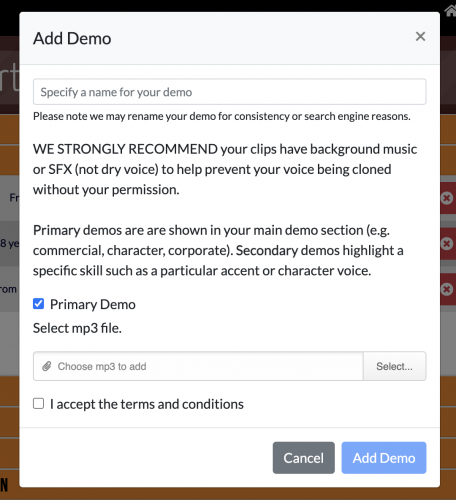
When adding a demo, first give your demo a name, then select the mp3 file, agree to the terms and conditions, and finally click 'Add Demo.
When adding a demo, first give your demo a name, then select the mp3 file, agree to the terms and conditions, and finally click 'Add Demo.' Please note that your demo may undergo automated processing to ensure its volume is consistent with other reels on our website. If the demo doesn't play immediately, try refreshing your profile page in about 5 minutes and check again. The system notifies our team twice a week about new demos. If your demo fits one of our category sections, we will include you in that section. Alternatively, you can email us, and we can add you to the relevant section more promptly.

Notes

Please ensure you have the required permissions for any uploaded audio, as per our T&Cs.
New demos will be added with the ability for visitors to download them.
We recommend you add music or effects to your reels, so as to limit or remove the amount of dry vocals - this makes it harder for your clips to be used for unauthorised voice cloning.

However, we understand you may wish to block visitors form downloading a demo - perhaps it contains dry vocals and you've not had chance to update it yet. Please see the following section on how to do this.